Theming with React Native Paper
React Native Paper is a great library to build a high-quality React Native app with standard-compliant Material Design library. Since the foundation is same, this library is really compatible with React Native Paper.
Bring your app components with React Native Paper and Material Color React Native!
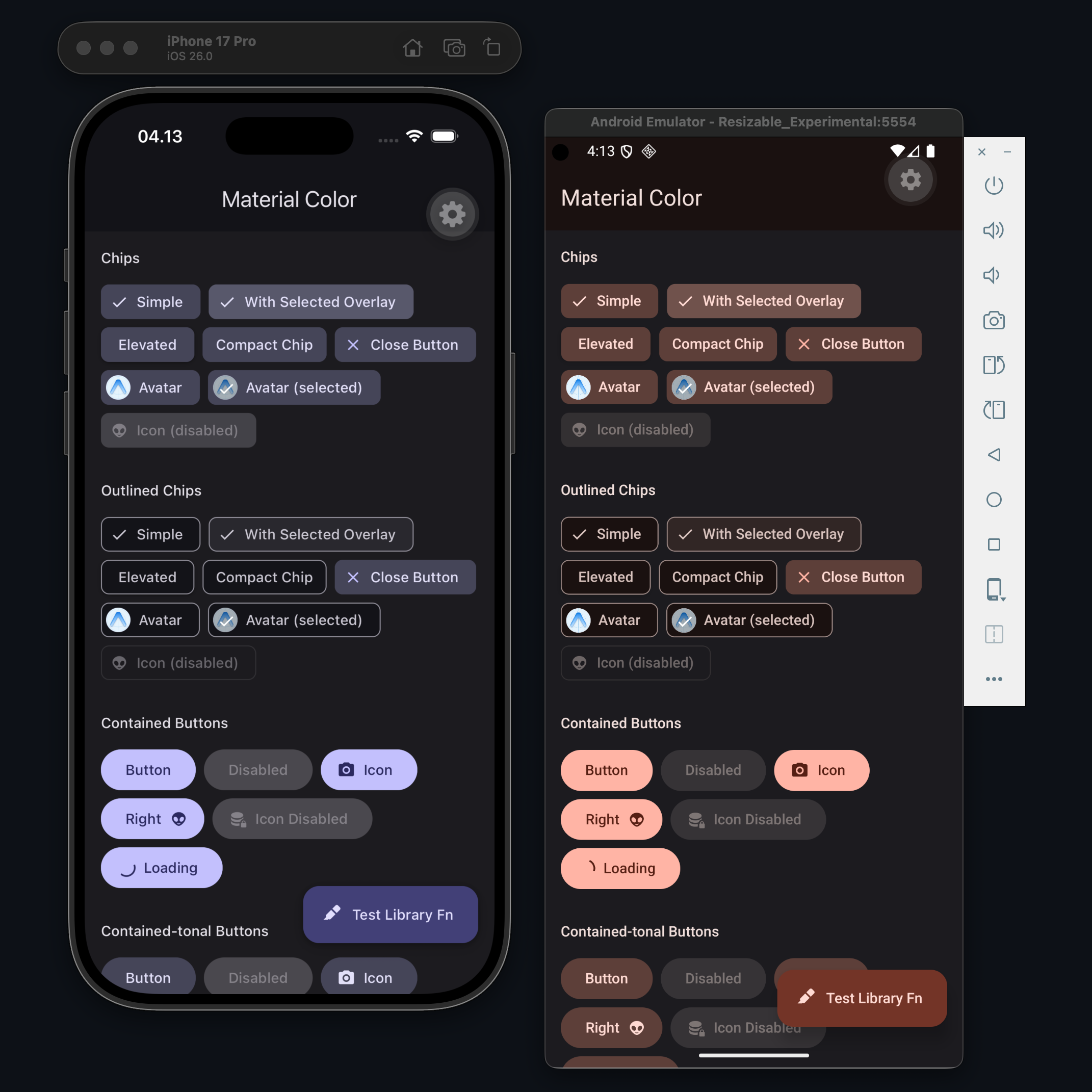
The image above is an actual example app of this project library. Check the example source code at GitHub.
This adapter is only providing an integration to Paper color v3. Simply, because Material Color React Native is not using Material Design 2 color system.
Paper Color Adapter
PaperColorAdapter class provides seamless integration to get correct colors map from the MaterialColor and AndroidDynamicColor instance to the React Native Paper color provider. You don't have to instantiate the PaperColorAdapter class, just use its static method
See this below as an basic example
import {
  MaterialColor,
} from "material-color-react-native"

import {
  PaperColorAdapter,
} from "material-color-react-native/react-native-paper"

import {
  PaperProvider,
} from "react-native-paper"

export default function Layout() {

  const [sourceColor, setSourceColor] = useState("#ffde3f")

  // or with Global State Management e.g. Zustand, Redux, Jotai
  // even with persistent storage

  return (
    <PaperProvider
      theme={{
        colors: PaperColorAdapter.fromMaterialColor(
          new MaterialColor(sourceColor),
        ),
      }}
    >
      { /* your component */ }
    </PaperProvider>
  )

}
That's it 🎉 That is really the core implementation of how to integrate it to the React Native Paper color provider.
Now, you can bring your own implementation with Material Color React Native. See other basic examples below
Examples
Material Color From Source Image
import {
  useMaterialColorFromImageUri,
} from "material-color-react-native"

import {
  PaperColorAdapter,
} from "material-color-react-native/react-native-paper"

import {
  PaperProvider,
} from "react-native-paper"

const fallbackSourceColor = "#ffde3f"

export default function Layout() {

  const
    [sourceImageUri, setSourceImageUri] =
      useState("https://i.ytimg.com/vi/dQw4w9WgXcQ/maxresdefault.jpg"), // or local file uri
      // set the new sourceImageUri with React context or Global State Management

    { data, isLoading } =
      useMaterialColorFromImageUri(
        sourceImageUri,
        undefined,
        {
          maxWidthOrHeight: 640,
        }
      )

  return (
    <PaperProvider
      theme={{
        colors: PaperColorAdapter.fromMaterialColor(
          data ?? new MaterialColor(fallbackSourceColor)
          // `data` is undefined
          // Probably because it's failed to get source color from image
          // or the image processing is not finished yet
          // Build a material color from a source color as a fallback
        )
      }}
    >
      {/* your component */}
    </PaperProvider>
  )

}
Android Dynamic Color (Compat)
import {
  useAndroidDynamicColorCompat,
} from "material-color-react-native"

import {
  PaperColorAdapter,
} from "material-color-react-native/react-native-paper"

import {
  PaperProvider,
} from "react-native-paper"

const fallbackSourceColor = "#ffde3f"

export default function Layout() {

  const androidDynamicColor = useAndroidDynamicColorCompat(fallbackSourceColor)

  return (
    <PaperProvider
      theme={{
        colors: PaperColorAdapter.fromAndroidDynamicColor(androidDynamicColor)
      }}
    >
      {/* your component */}
    </PaperProvider>
  )

}
Definitions
See definitions